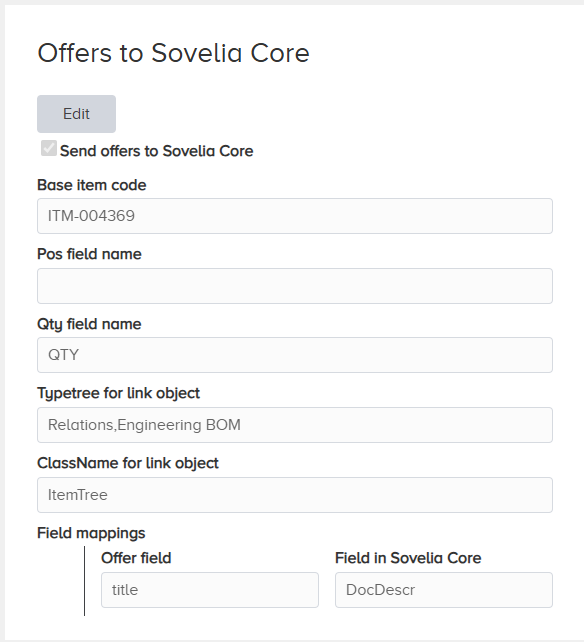
To send offers to Sovelia Core, configure the following settings:
Enable sending by selecting the topmost checkbox “Send offers to Sovelia Core”
The top item of the offer is created by cloning an item in Sovelia Core. Select the base item to clone.
Enter the field names of the POS and QTY fields in Sovelia Core to enable setting attributes for relation objects.
Use Typetree and ClassName for guiding the selection of link object type between Offer and Item in Sovelia Core
Use field mappings for defining the relation between fields in Standard Configurator and Sovelia Core.