Download Sovelia Vault
Sovelia Vault installation package can be downloaded from MySymetri
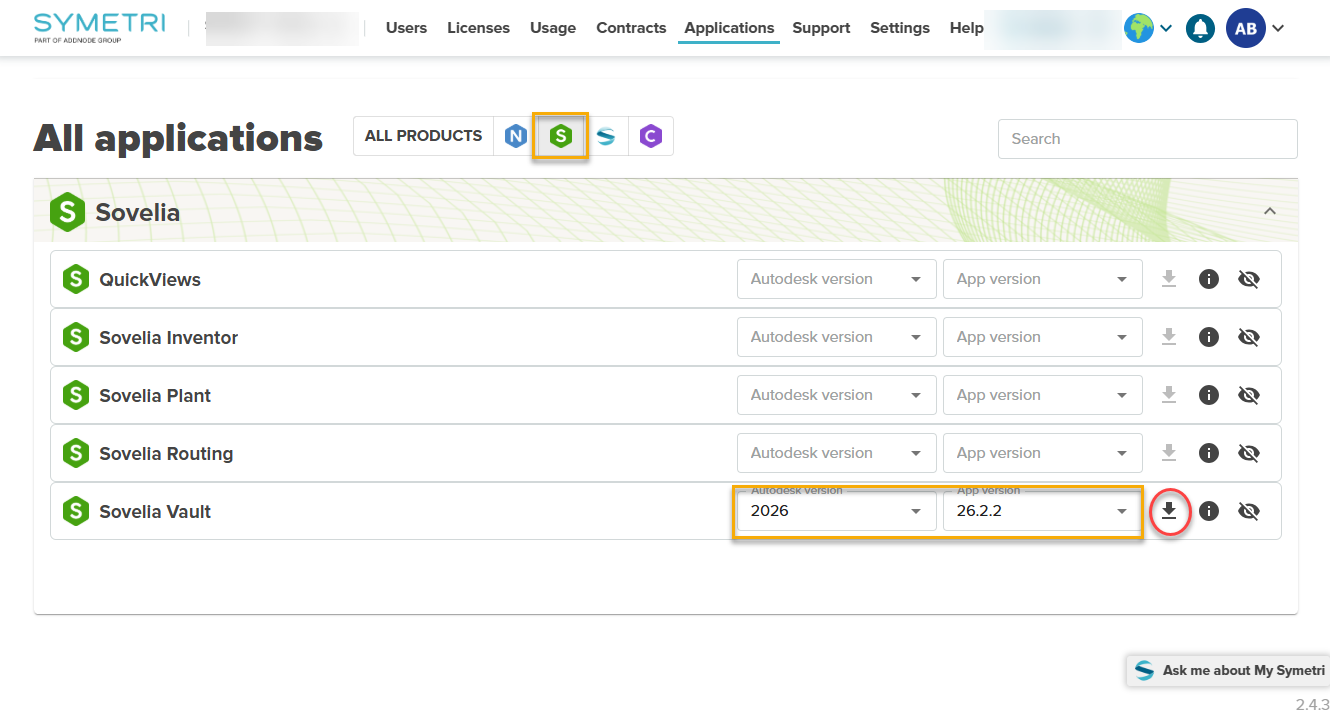
Using Sovelia Vault requires a license. Read more on the Sovelia Licensing section.
Install Sovelia Vault
Sovelia Vault installer contains four components
Three of them are installed using the main installer.
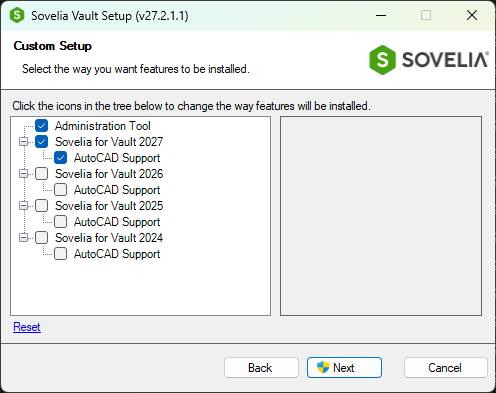
- Sovelia Vault Administration Tool
- This tool will be used by the administrator of Sovelia Vault to configure rules and workflows. (Usually only installed by the user who will administrator Sovelia Vault)
- Sovelia Vault Client
- Sovelia Vault Client need to be install for all users and on the Vault Job Processor
- Sovelia Vault AutoCAD Support
- For AutoCAD related files
- JobQTool
- The JobQTool can be installed on the JobProcessor machine. No license require.
Download JobQTool and the follow instruction to Install JobQTool
- The JobQTool can be installed on the JobProcessor machine. No license require.
Deploy Sovelia Vault - for your IT
There are three parameters to manage the installation using command lines.
ADMIN=1/0 | VERSIONS=%YEAR%,%YEAR% | ACVERSIONS=%YEAR%,%YEAR%
%YEAR% could be 2027, 2026, 2025 or 2024
Example Install Sovelia Vault 2027 Client and Sovelia Vault AutoCAD Support 2027 (without Admin tool)
msiexec /i "...Sovelia Vault_27.2.1.msi" VERSIONS=2027 ACVERSIONS=2027
Example Install Sovelia Vault 2027 Client, Sovelia Vault AutoCAD Support 2027 and Admin tools
msiexec /i "...Sovelia Vault_27.2.1.msi" ADMIN=1 VERSIONS=2027 ACVERSIONS=2027
vault@sovelia.com