You can copy the object ID or a link by opening the menu that appears when you hover over the object ID.
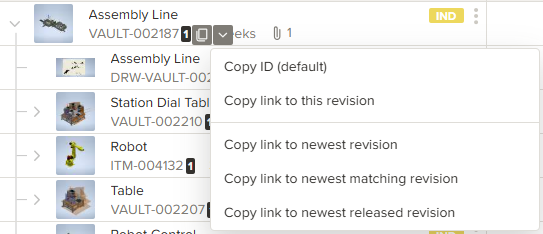
- Copy ID – Copies the object ID to the clipboard.
- Copy link to this revision – Creates a link that always opens this specific revision.
- Copy link to newest revision – Creates a link that always opens the latest revision.
- Copy link to newest matching revision – Creates a link that opens the latest revision you have access to. (A newer revision may exist, but you might not have permission to view it.)
- Copy link to newest released revision – Creates a link that always opens the latest revision with a released status.